Your account will be unaffected after canceling. You may continue to use the service until your current subscription expires. No snipes are canceled.
The expiration date is shown in the upper-left corner of your Dashboard. When your payment expires, you will see the payment options again and can re-subscribe or change plans.
Note: Keep in mind that if you cancel, you will lose the lower payment price that you locked in when you subscribed.
To cancel a recurring PayPal subscription payment, follow these steps:
Click the gear icon in the top right, then click Payments, then Automatic payments.

Click BidSlammer LLC from the list of automatic payments.
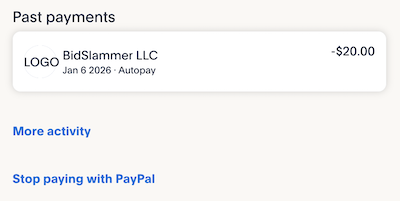
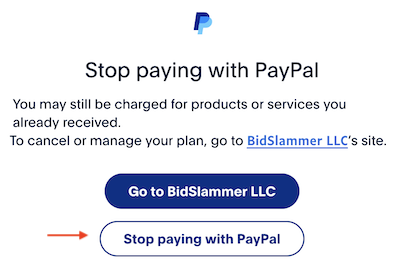
Click Stop paying with PayPal to cancel the recurring payment.
Join Now for Free! Start winning items today.